
Elunvi Canvas
Take a character idea in more directions.
AI Game Art and Character Design
Start with a reference and explore outfits, viewpoints and environments. Elunvi Canvas brings AI image creation, image processing and local asset organization into one workspace.
Explore availability and use
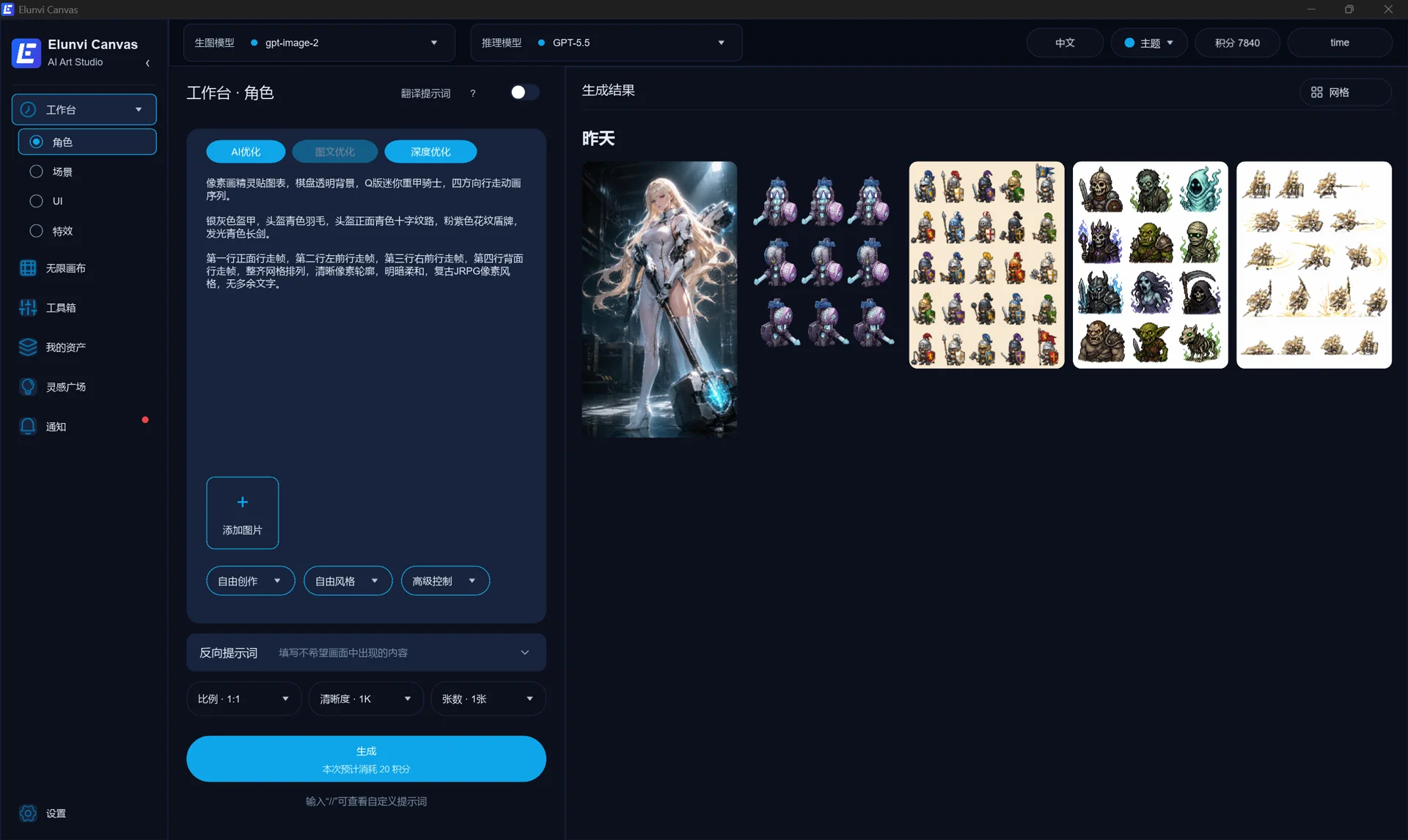
Keep developing the idea
Start with a character, environment or UI reference and compare ideas. Explore outfits, multiple views and scene combinations, then remove black backgrounds, crop or enhance images and organize the results.
Develop your character
Explore outfit changes and additional design views from a reference. Compare the results and choose the proportions, details and direction that fit your project.
Build beyond the character
Dedicated creation tools cover environments, buildings, game UI and effect images, helping you explore more of your project's visual direction.
Continue after generation
Crop, convert and remove black backgrounds, then save and organize the images you choose so you can return to them as the project develops.
Who it is for Independent game developers, game artists and teams organizing creative assets.
Choosing Canvas
Can AI characters and environments share a consistent style?
References help communicate a desired style and character features. Review proportions, viewpoints and details across the results, then select and adjust them. A reference does not guarantee a perfectly consistent asset set.
Does Canvas produce images or editable 3D models?
Canvas produces game art images and design references. A 3D-style concept or multiple-view reference can support later modeling, but it is not an editable mesh or rig.
Should I choose Canvas or Motion for character animation?
Use Canvas to explore character appearance, environments and static art. Choose Motion for character actions, frame editing and animation export. They serve different stages of creation.
Explore Elunvi MotionDoes installing Canvas mean AI generation works offline?
Local asset organization and AI generation are separate. Installing the desktop application does not mean every AI operation runs on your computer. Generation depends on the selected model's connection requirements.
What should I do if Windows does not trust the downloaded installer?
First confirm that the installer came from the official Elunvi download page. Then: 1. Hover over the installer in the browser's Downloads list, open the three-dot menu, and choose “Keep.” 2. In the security prompt, open the dropdown beside “Delete” and choose “Keep anyway.” Do not continue if the file did not come from the official Elunvi page.
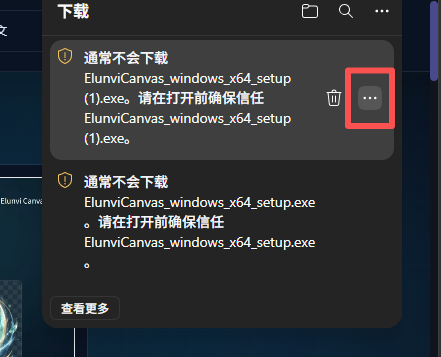
01Hover over the download and open the three-dot menu. 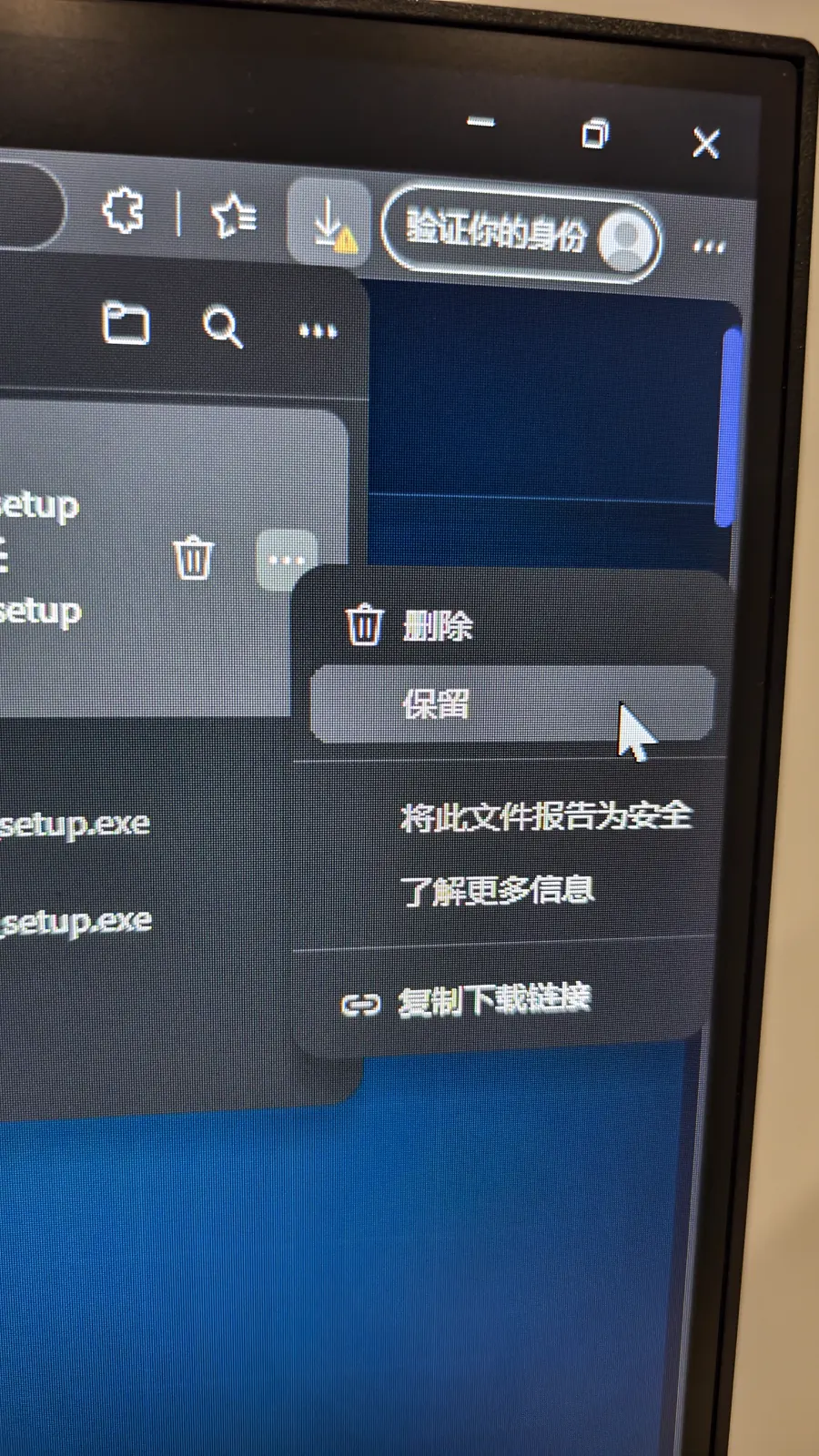
02Choose “Keep” in the download menu. 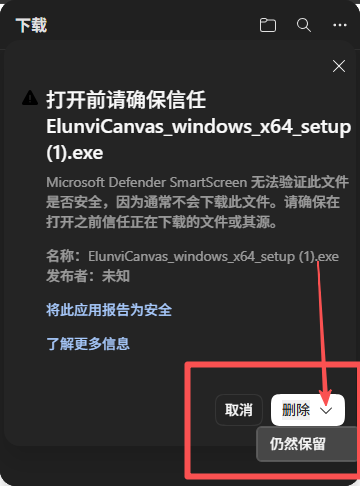
03Open the menu beside “Delete” and choose “Keep anyway.”
Is Canvas the same product as ArtForgeStudio?
Yes. ArtForgeStudio was renamed Elunvi Canvas. The Windows and macOS applications use the Elunvi Canvas name, and the former product URL redirects to the current page.
Where can I find current pricing?
See the application for current subscription and model usage charges, and check the conditions for the generation model you choose.
Elunvi Canvas
Next step
Developed by Shineway Technology · 长沙欣慰科技有限责任公司